🚀 Introduction
If you’ve ever wanted to create stunning AI-generated images but didn’t want the hassle of installing heavy software, Fooocus on Google Colab is one of the easiest ways to get started.
With just a few clicks, you can launch a powerful AI image generator прямо in your browser – no GPU, no setup headaches.
In this guide, you’ll:
- Set up Fooocus on Colab
- Launch the interface
- Generate your first AI image
🧠 What is Fooocus?
Fooocus is a simplified AI image generation tool built on Stable Diffusion. It focuses on:
- Ease of use
- Minimal prompt complexity
- High-quality outputs
Unlike other tools, you don’t need long, complicated prompts – Fooocus handles most of the heavy lifting for you.
⚙️ Step 1: Open Fooocus Colab
To get started, open the official Colab notebook:
▶️ Step 2: Run the Notebook
Once the notebook opens:
- Click “Runtime” → “Run all”
- Wait for dependencies to install (takes a few minutes)
- The notebook will automatically set everything up
📌 Tip: Make sure you’re using a GPU runtime for better performance
(Runtime → Change runtime type → GPU)
🌐 Step 3: Launch Fooocus UI
After setup is complete:
- You’ll see a public link generated in the output
- Click the link to open Fooocus UI in your browser
Now you’re ready to generate images 🎉
🎨 Step 4: Generate Your First Image
Let’s start with a simple but powerful prompt.
🧠 Prompt
A magical fantasy castle floating in the sky, glowing lights, clouds, epic atmosphere, ultra detailed, cinematic lighting
🚫 Negative Prompt
low quality, blurry, dull, flat lighting
🖼️ Example Output
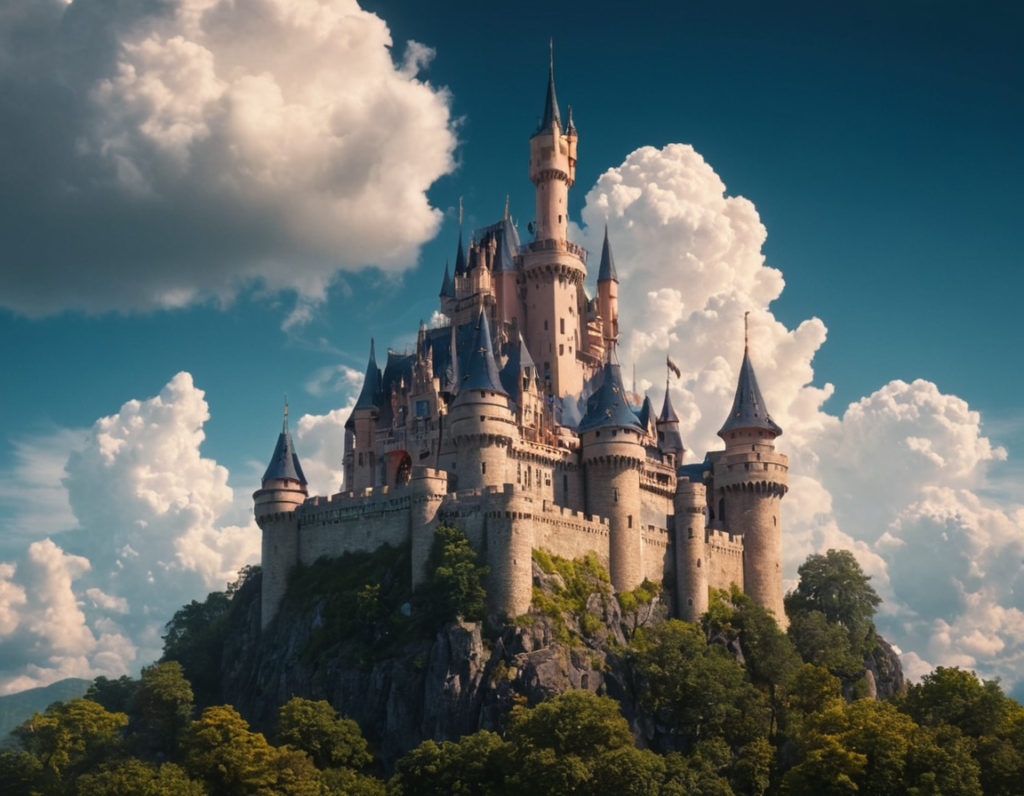
💡 Why This Prompt Works
- Clear subject → “fantasy castle”
- Environment → sky + clouds
- Lighting → cinematic lighting adds depth
- Detail level → ultra detailed improves quality
Even with a simple prompt, Fooocus produces impressive results.
🧪 What to Try Next
Now that your setup works, experiment with:
- Different prompts
- Image sizes
- Styles in Fooocus UI
In the next post, we’ll explore how aspect ratio changes your results dramatically.
🔥 Final Thoughts
Fooocus on Colab is one of the fastest ways to get started with AI image generation. No installations, no complex setup – just open, run, and create.
If you’re a beginner, this is the perfect entry point into AI art.